
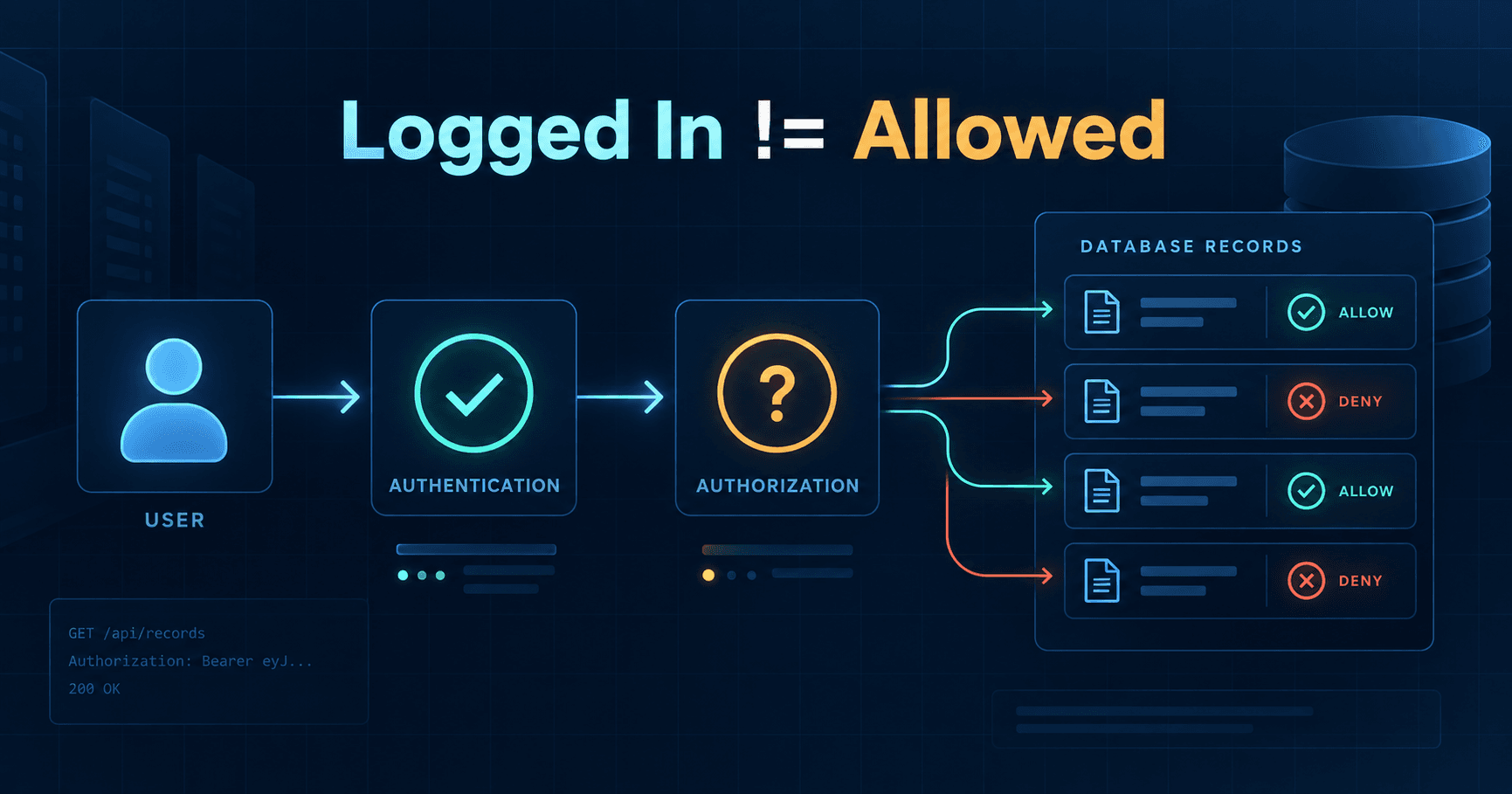
A user logs into an application. Their password, session, passkey, OAuth token, or API key checks out.
Then the app requests:
GET /orders/4821
There is still another question: does Order 4821 belong to that user?
That second question is authorization. A valid login proves who is making the request. It does not automatically prove that this identity may read, update, download, approve, or delete every object addressable by the API.
OWASP API1:2023 calls this Broken Object Level Authorization, or BOLA. It is a major API risk because APIs expose object identifiers: order IDs, invoice IDs, project IDs, ticket IDs, document IDs, and organization IDs.
The Two Gates
Authentication and authorization are separate gates. Authentication asks who is making the request. Authorization asks whether that identity may perform this action.
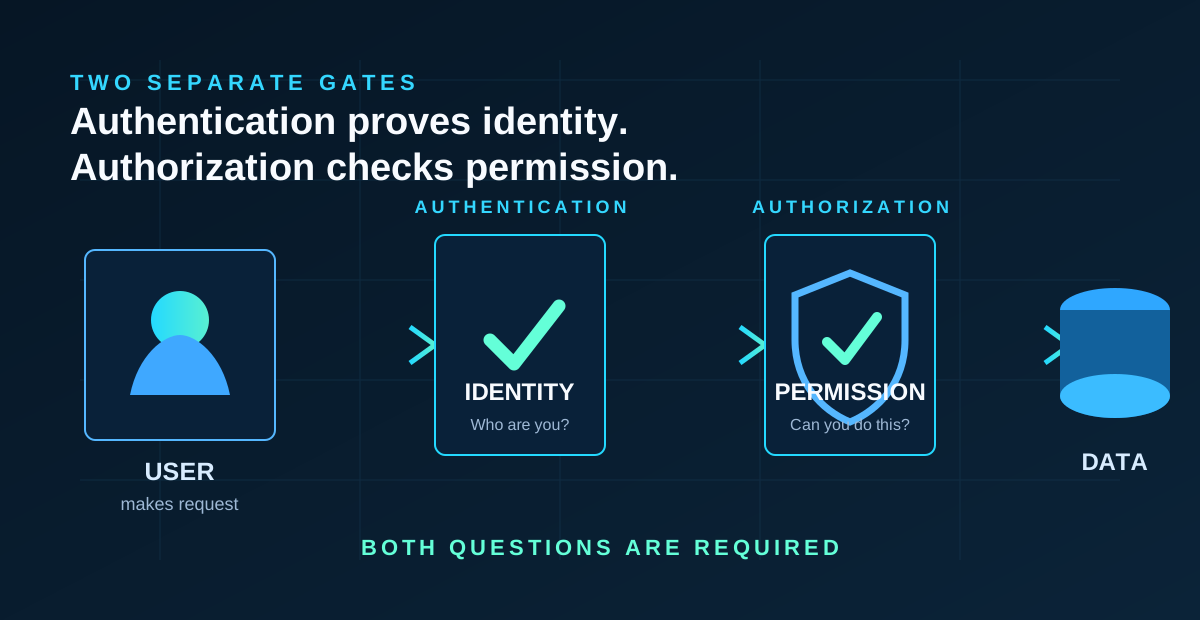
You usually need both. A request can have a valid token and still be unauthorized for the target object.
Teams often build the first gate carefully and assume the second gate is implied. The API validates the session, accepts an object ID, loads the row, and returns it. That is where cross-user exposure begins.
For authentication design issues, see our related article on password reset security mistakes.
What Broken Object Level Authorization Means
Object-level authorization is access control at the individual resource level.
Every endpoint that receives an object ID and acts on that object needs a server-side permission decision.
Fictional examples:
- an order API that receives
/orders/{id} - an invoice API that receives
/invoices/{id} - a project document API that receives
/projects/{projectId}/documents/{documentId} - a support system that receives
/tickets/{id}
The ID is not proof of permission. It is only a pointer to something the server must evaluate.
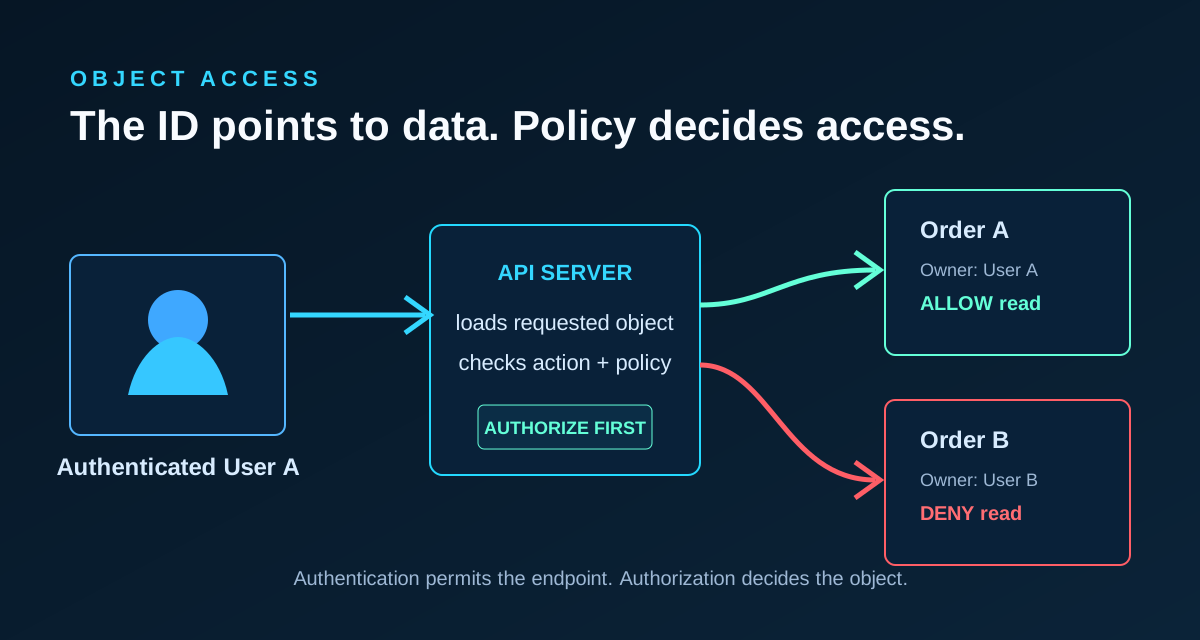
If User A can request User B's private order by changing an ID, that is an object-level authorization problem.
Why "But They're Logged In" Isn't Enough
Logged-in users may be customers, team members, vendors, admins, auditors, or support staff. Each can have different rights over different objects.
An API endpoint often has two facts:
- The caller is authenticated.
- The caller is allowed to access this object for this action.
This is easy to miss when the UI hides unauthorized links. The interface might only show "your" orders, but the API still receives object IDs. Server-side authorization has to stand on its own.
Why UUIDs Don't Solve Authorization
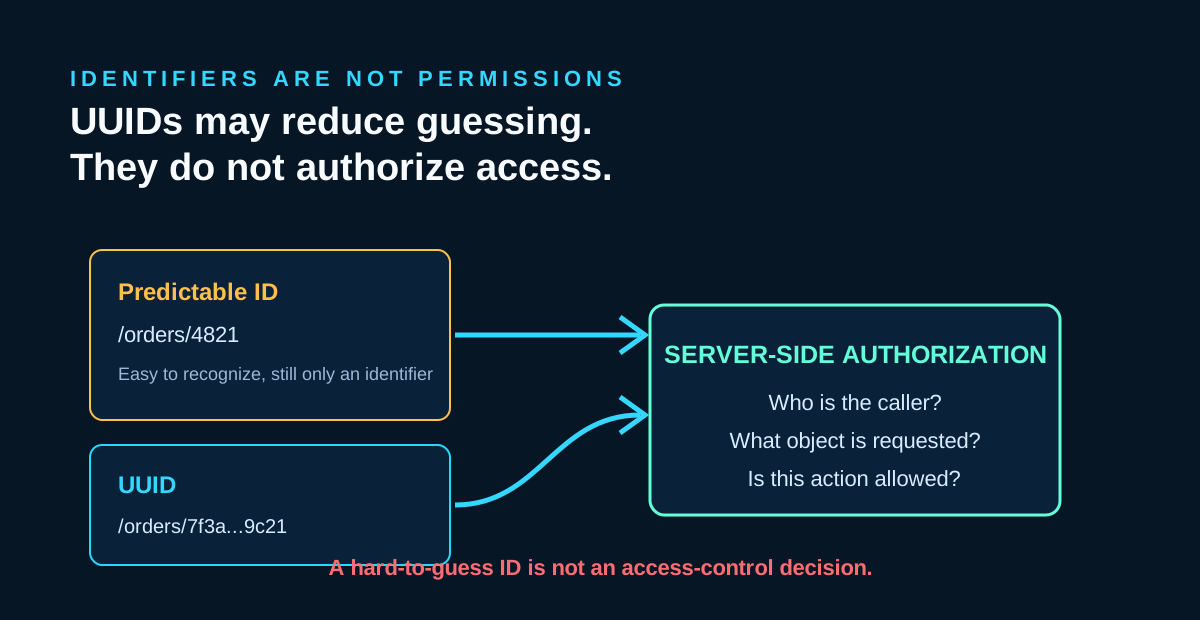
Random, unpredictable identifiers can reduce casual guessing. OWASP recommends random and unpredictable values such as GUIDs for record IDs. But UUIDs do not grant authorization.
If a UUID leaks through logs, support emails, analytics, shared links, screenshots, exports, or another endpoint, the server still needs to decide whether the caller may use it.
OWASP says comparing the current session user ID with a client-supplied ID only addresses a small subset of BOLA cases. Real policy often includes organizations, roles, relationships, delegated access, workflow state, ownership, and action.
Use hard-to-guess identifiers where appropriate. Do not treat them as permission checks.
Check the Action and the Object
Authorization is not only "can this user see this thing?"
The action matters:
- read
- update
- delete
- download
- approve
- invite
- transfer
- export
A user may read an invoice but not approve it. A project member may upload files but not delete the project. A support agent may view limited account data but not change billing details.
Good authorization logic evaluates identity, resource, and action together. It can live in policy objects, service checks, database-scoped queries, framework primitives, or a dedicated authorization service. The rule: identify the target resource, evaluate policy, then return or modify it only if allowed.
Ownership Isn't Always Enough Either
Many examples show:
order.user_id == current_user.id
That can be useful in a small single-user system, but it is not universal.
Real products often include:
- organizations and tenants
- teams and workspaces
- roles and scopes
- delegated access
- administrators
- shared resources
- support access
- billing contacts
- approval chains
In these systems, "owner" might be an organization. A user might access a resource because they belong to a workspace, hold a role, were invited to a document, or are assigned to a support case.
Design the policy around the business rule. Do not reduce every BOLA case to one user_id comparison unless that truly represents the model.
Don't Forget Nested Resources
Nested routes can create false confidence:
/organizations/{org}/projects/{project}/documents/{document}
Access to the organization does not automatically mean access to every project. Access to a project does not automatically mean access to every document. Access to a document may not include edit, delete, export, or share rights.
For nested resources, validate both relationships and caller permission. A document should belong to the route project. The project should belong to the route organization. The caller should be allowed to perform the requested action.
Object vs Property Authorization
OWASP API3:2023 covers Broken Object Property Level Authorization. It is related, but not the same boundary.
Object-level authorization asks:
Can I access this customer record?
Property-level authorization asks:
If I can access this customer record, should I see or change every field?
For example, a support agent might view a customer profile but not tax identifiers, internal risk notes, or payment tokens. A project member might edit a task title but not its billing rate.
Object-level authorization decides whether the object is in scope. Property-level authorization decides which fields are visible or mutable.
Authorization Tests Worth Having
Authorization bugs often return during refactors because the happy path still works. Tests should cover boundaries, not only successful requests.
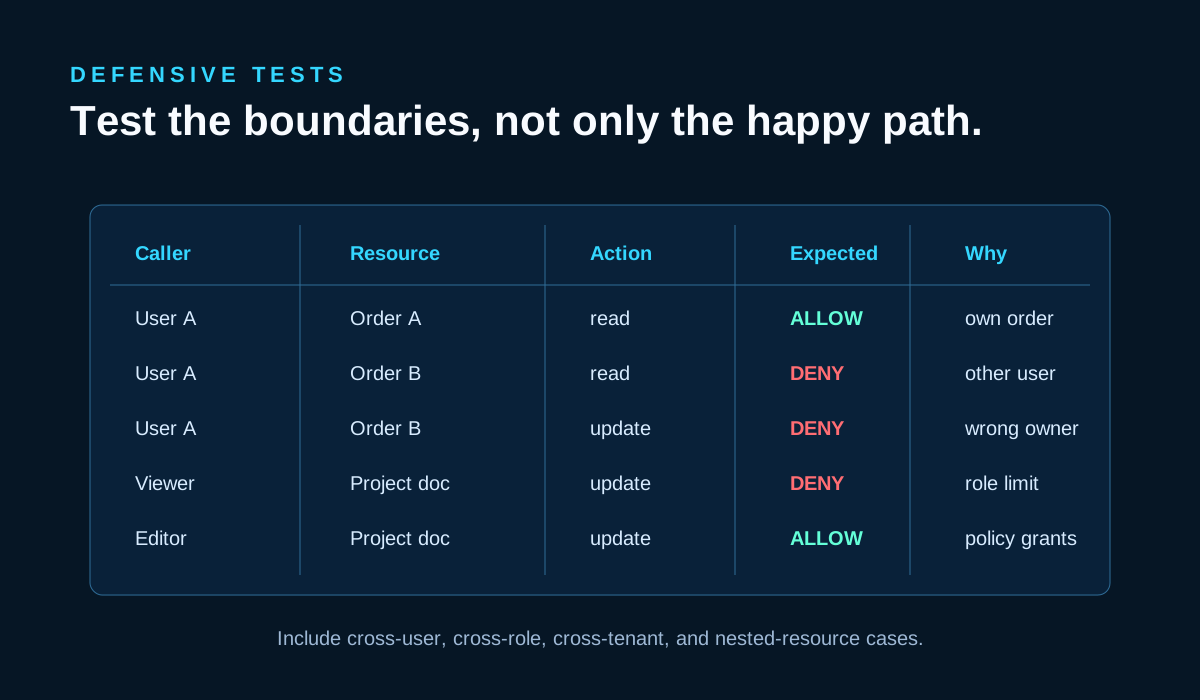
Useful defensive tests include:
- User A can read their own private resource.
- User A cannot read User B's private resource.
- User A cannot update User B's resource.
- A project editor can update a project document.
- A project viewer cannot update that document.
- An allowed role can perform a privileged action.
- A disallowed role cannot perform that action.
- Cross-tenant access is denied.
- Nested resources must belong to the expected parent.
These tests do not need exploitation tooling. They need representative users, resources, roles, and expected outcomes.
Quick API Review Checklist
- [ ] Does every object-ID endpoint authorize the resource?
- [ ] Are read, write, delete, download, and approval actions checked separately where needed?
- [ ] Are organization and tenant boundaries enforced?
- [ ] Are nested resources checked against their parents?
- [ ] Are sensitive properties separately protected?
- [ ] Do authorization tests cover cross-user access?
- [ ] Are policies centralized and consistent where practical?
- [ ] Are UUIDs treated as identifiers, not permissions?
- [ ] Does the server enforce access even if the UI hides a link?
Final Thoughts
Authentication gets someone through the front door.
Authorization determines which rooms they may enter and what they are allowed to do there.
Do not rely on hidden IDs, UI restrictions, client-side routing, or UUIDs as substitutes for server-side authorization. For every object-ID endpoint, ask:
Could another logged-in user access this object?
If the answer depends on ownership, tenant membership, role, relationship, scope, workflow state, or business policy, encode that policy on the server and test it.
For more practical software and security articles, visit the Vast Edge blog. If your team is building APIs for a SaaS product, mobile app, or internal platform, explore our software development services or contact Vast Edge Services.