
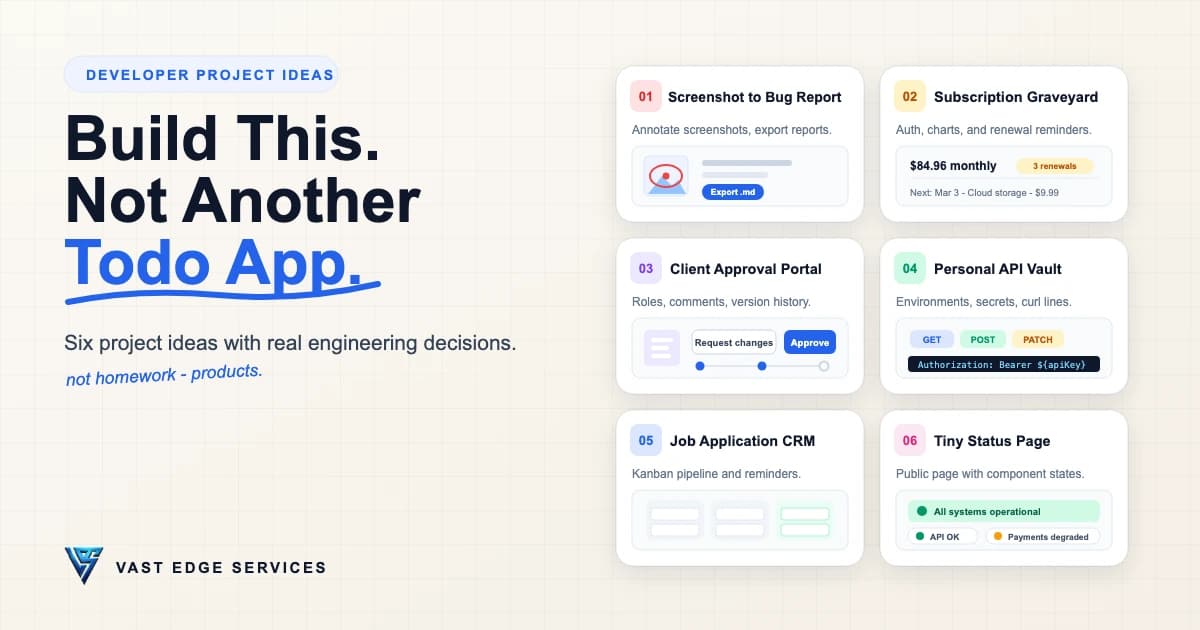
A todo app is fine for learning an API and weak for everything else: one model, one form, one list, no decisions anyone would ask you about. The six project ideas below are the opposite — each one is a small app with a non-trivial engineering choice at its center, an MVP you can actually finish, and stretch work waiting when you get there.
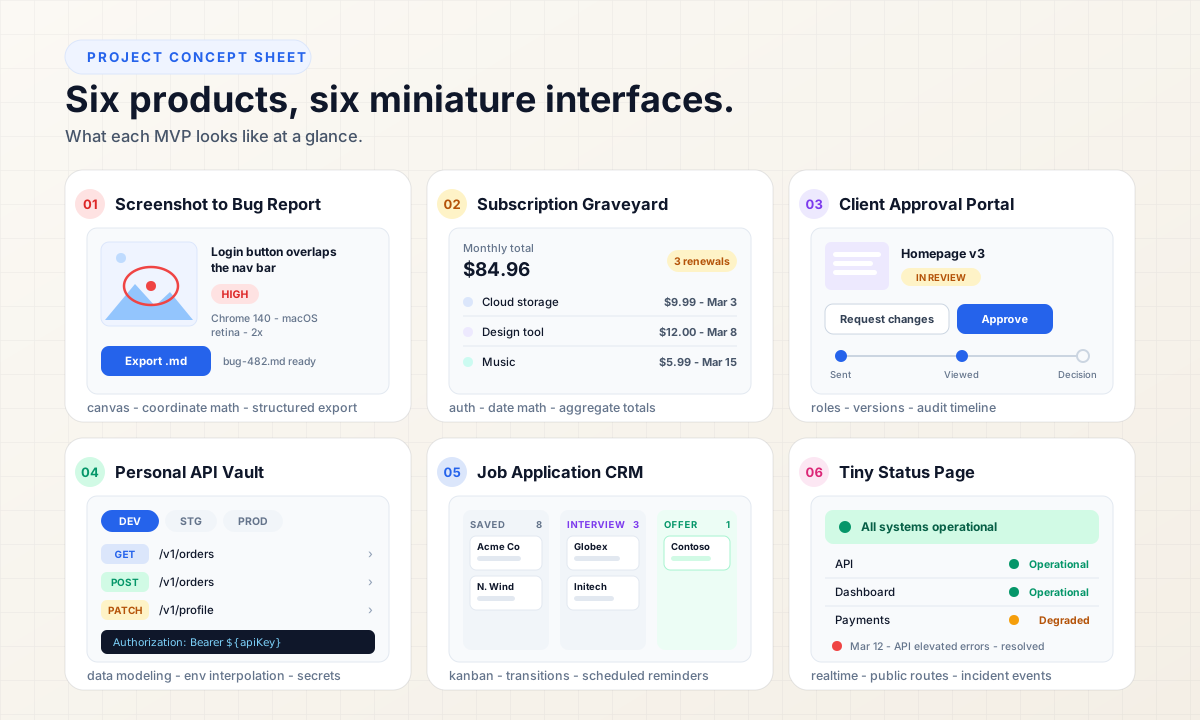
These are project concepts, not business plans. Nothing here is a validated market opportunity, and no portfolio is guaranteed to impress anyone. What each project can do is demonstrate specific technical skills — file handling, permissions, state machines, realtime updates — better than another CRUD list. Pick the challenge you want to practice, not the idea that sounds impressive.
1. Screenshot to Bug Report
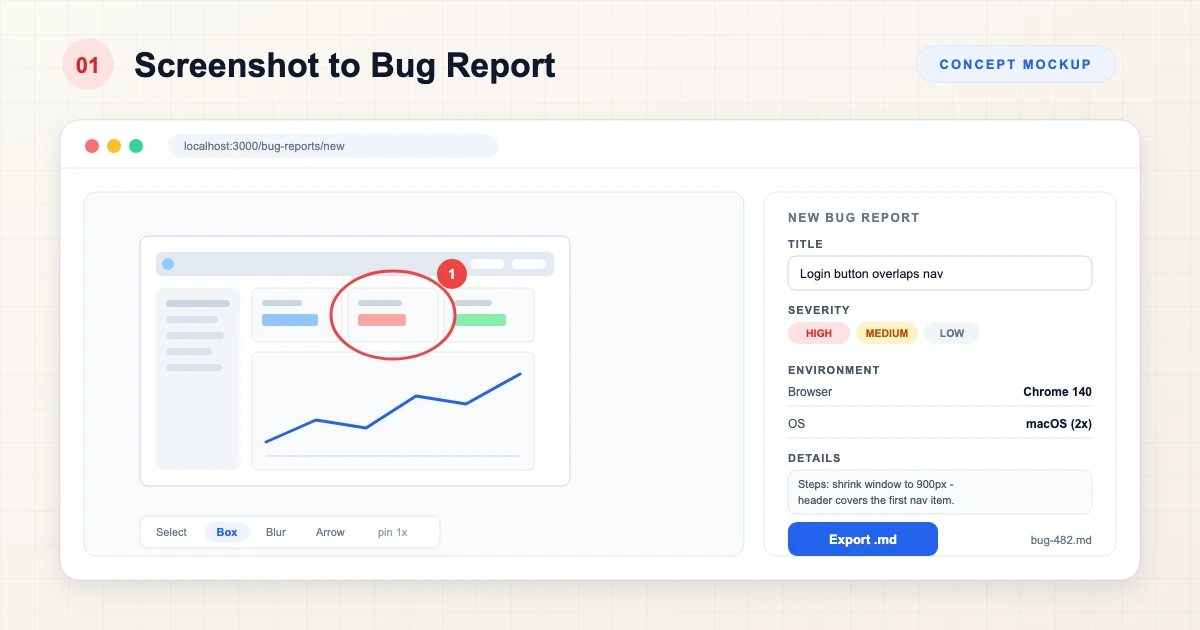
Pitch: Drop a screenshot, annotate the problem, export a bug report someone can act on.
Why it is interesting: The data model is not a row in a table — it is an image plus vector annotations plus context, and the output is structured text. Almost every hard part lives between the pixels and the export.
MVP features: image upload, annotation markers (boxes, arrows, pins), issue title, priority, device and browser information, Markdown or text export.
Technical challenges: keeping annotation coordinates correct as the image scales (store normalized coordinates, not screen pixels), layering markers over a zoomable image without jitter, capturing device and browser context accurately rather than trusting a free-text field, validating uploads before they reach storage.
Architecture, at a high level: annotation data is captured client-side and stored as JSON; the original image goes to object storage (any S3-compatible bucket or managed storage service); the report and its annotations live in a relational database; export is generated server-side from that record. A Next.js front end with a Node API and Postgres covers it — but the shape matters more than the framework.
Stretch: team workspaces, shareable issue URLs, GitHub and GitLab issue integration (map the exported report onto their issue fields).
What it can demonstrate: upload pipelines, canvas or SVG interaction, coordinate math, structured export.
2. Subscription Graveyard
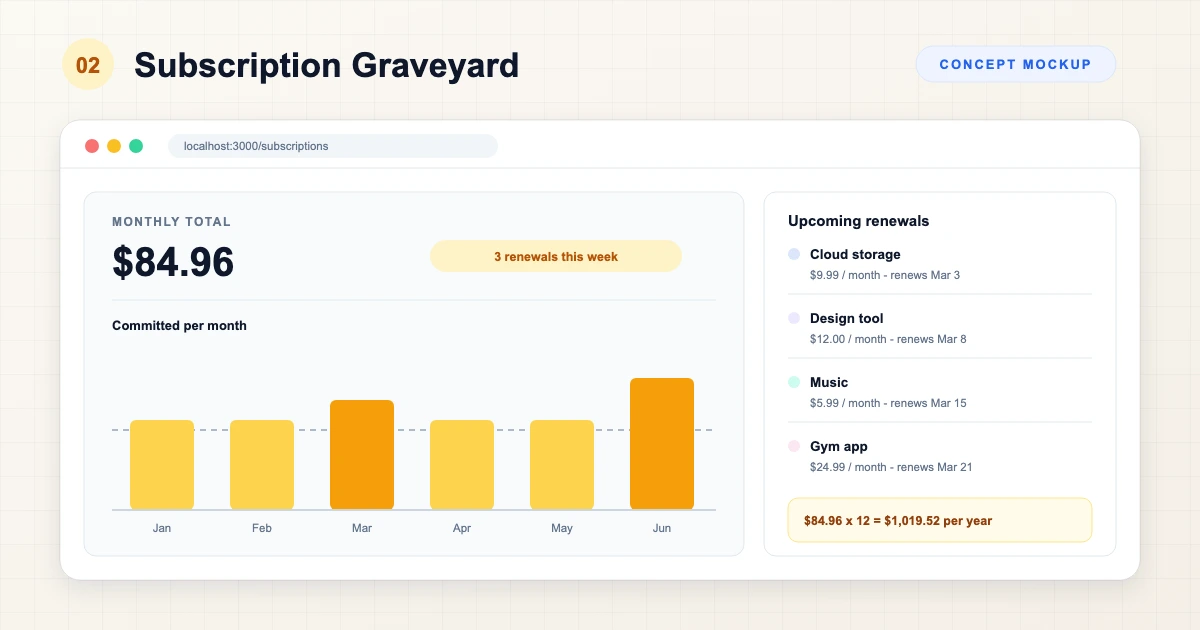
Pitch: A personal dashboard for recurring subscriptions and their renewal dates.
Why it is interesting: The domain is small but the logic is real: billing cycles, date math across timezones, and aggregates that must stay correct as entries change. Entry is manual by design — pulling in bank data would drag compliance and credential handling far beyond a portfolio project.
MVP features: authentication, manually added subscriptions, recurring cost, renewal date, monthly and yearly totals, an upcoming-renewal view.
Technical challenges: timezone-safe date math (a renewal on the 31st in a 30-day month), computing the next renewal from a last-paid date, normalizing monthly and yearly prices into comparable totals, aggregates that stay correct after edits and deletions.
Architecture, at a high level: a managed auth provider in front of a single-owner data model; a subscriptions table in Postgres; next-renewal and totals computed in SQL rather than in the UI; charts rendered client-side from the same aggregates. Supabase plus Next.js is a convenient pairing, as is any backend plus frontend you already know.
Stretch: reminder emails, categories, spending charts, CSV import and export.
What it can demonstrate: authentication flows, aggregate queries, date and time handling, dashboard UI.
3. Client Approval Portal
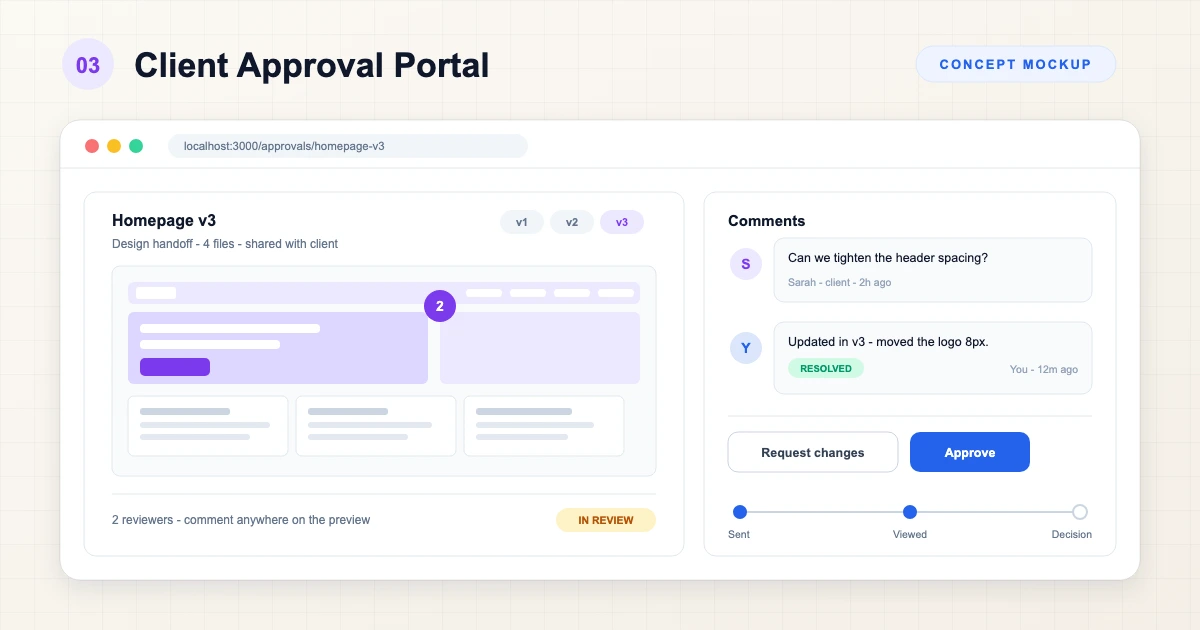
Pitch: Share deliverables with a client and record approve or request-changes decisions in one place instead of a mail thread.
Why it is interesting: This is a permissions problem wearing an interface: two kinds of accounts, versioned files, and a decision workflow that has to leave a reliable trail.
MVP features: client and project accounts, file or link submission, version history, comments, approve or request-changes actions, an activity timeline.
Technical challenges: authorization (clients see only their projects — enforce it server-side, not in hidden buttons), version history without mutating previous versions, a small state machine for decisions, and an append-only timeline that survives edits elsewhere.
Architecture, at a high level: role-based access with workspace members and client guests; deliverable versions stored as immutable rows; decisions and comments appended as events to a timeline table. Postgres row-level security or equivalent middleware checks make the boundary explicit; Next.js and Postgres fit, and so does any stack with server-side authorization.
Stretch: email notifications, a full audit log, branded client portals.
What it can demonstrate: role-based access control, workflow state machines, audit trails, versioned data.
4. Personal API Vault
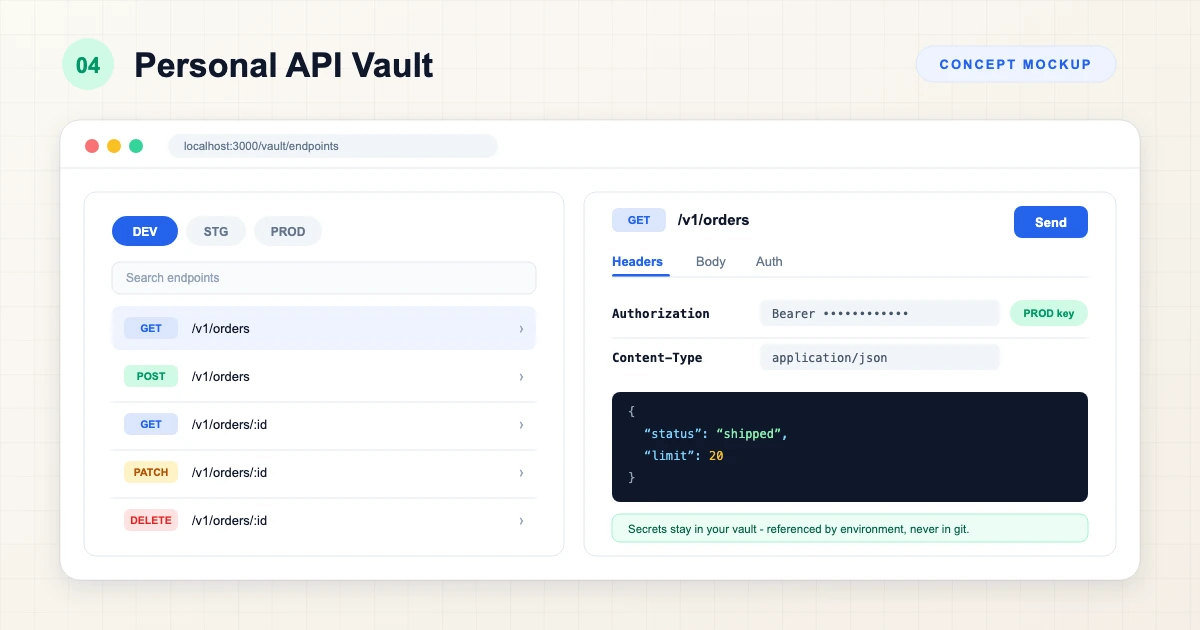
Pitch: A lightweight personal workspace for saving API endpoints, environments, and example requests and responses.
To be clear: this is not a Postman replacement and does not try to be one. It is a personal notebook for the dozen endpoints you actually touch — the ones with the header you always forget.
MVP features: collections, endpoint and method, environment variables, headers, request body, saved response examples.
Technical challenges: variable substitution — the same ${baseUrl} and ${apiKey} references resolving correctly across URL, headers, and body per environment — plus a schema that keeps environments, requests, and stored examples cleanly separated.
Architecture, at a high level: collections and requests in a relational schema; environments as key-value sets that get interpolated at request time; request execution from the browser for public APIs, or through your own backend when cross-origin rules or private networks require it. Data modeling is the core lesson here, not HTTP tooling.
On secrets: environments often include API keys. Store them encrypted at rest with authenticated encryption (AES-GCM or an equivalent modern construction), keep decryption keys server-side, and never persist secrets in plaintext, URLs, or client logs — the OWASP Cryptographic Storage Cheat Sheet covers the baseline. Do not build a vault that writes credentials to a database in the clear.
Stretch: response history, collection export as snippets, read-only sharing, environment sync across devices.
What it can demonstrate: nested data modeling, interpolation logic, security-minded storage of sensitive values.
5. Job Application CRM
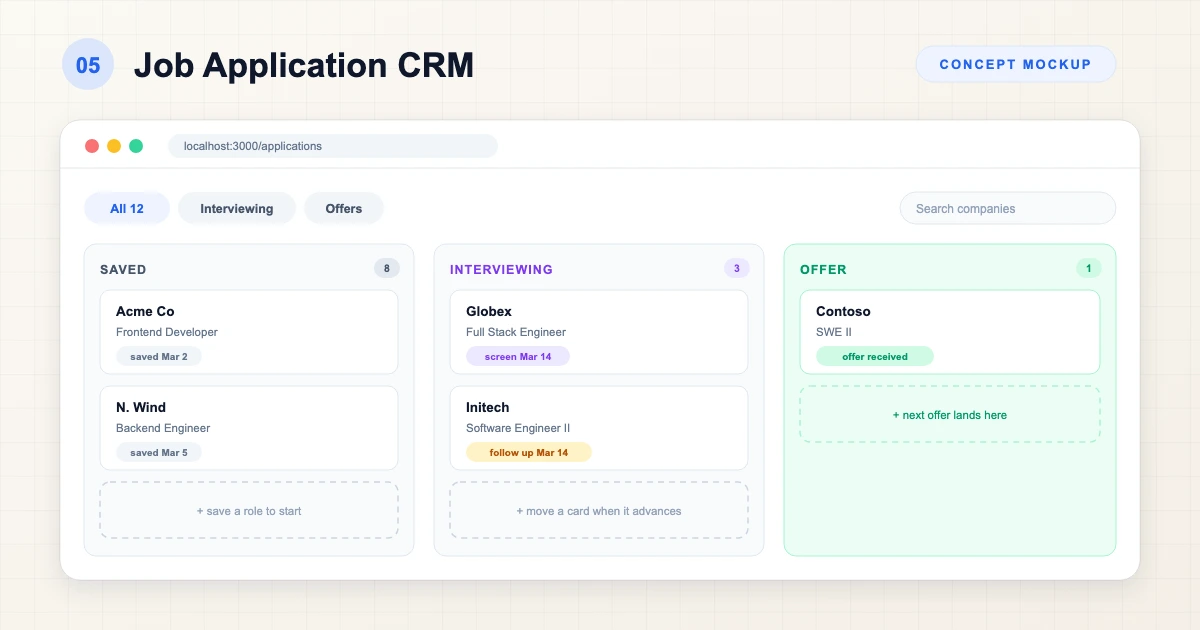
Pitch: A personal pipeline that tracks every application from saved to offer, so nothing dies in a spreadsheet.
Why it is interesting: It is a small CRM with genuine state rules: columns, transitions, ordering, and follow-up dates — drag-and-drop that has to stay honest with the database.
MVP features: companies, roles, application status, a Kanban pipeline, contacts, notes, reminders.
Technical challenges: persisting drag-and-drop order without race conditions, defining which status transitions are allowed, stable ordering within columns, and scheduling reminders that fire on the right day regardless of when the browser is open.
Architecture, at a high level: tables for companies, roles, and a stage field with an explicit order index; optimistic UI updates reconciled against the server; reminders generated by a scheduled server-side job rather than client timers. Next.js with Node and Supabase works; a Flutter client with any backend works too if you prefer mobile-first.
Stretch: an interview timeline, simple analytics (time-in-stage, applications per week), document attachments.
What it can demonstrate: Kanban interfaces, state transitions, scheduled jobs, optimistic updates.
6. Tiny Status Page
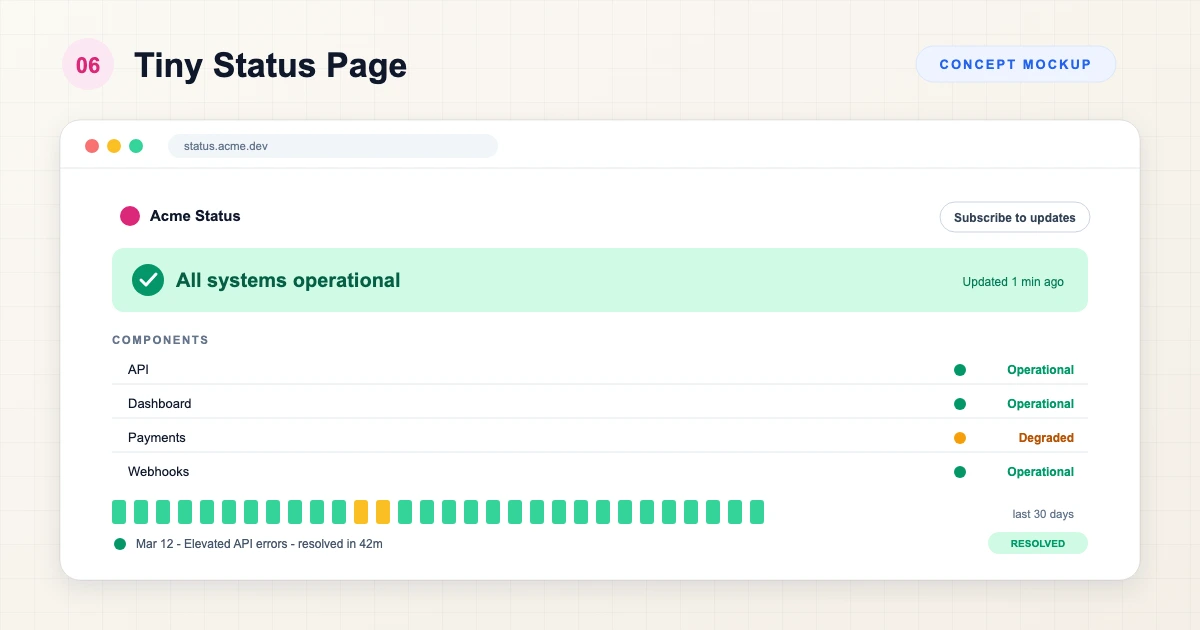
Pitch: A small service-status platform: components, states, incidents, and a public page that shows the history.
Why it is interesting: You get the public-versus-admin split, realtime updates, and an incident timeline that behaves like an event log — three patterns that show up in almost every production system.
MVP features: services and components, operational, degraded, and down states, a public status page, incident creation, incident updates, status history.
Technical challenges: propagating state changes live (server-sent events or polling — pick one and justify it), keeping the public route read-only while admins mutate, deriving component status from open incidents instead of double-booked fields, and appending history so the record cannot be rewritten after the fact.
Architecture, at a high level: component and incident tables with updates appended as events; a public route that renders read-only; a lightweight live channel (SSE is usually enough) for state changes. In the MVP, states are set by a human — automated uptime probes are stretch work, and any accuracy claim is only as good as the checks you actually implement. Say what the system measures, nothing more.
Stretch: uptime monitoring with clearly scoped checks, realtime updates, subscriber notifications via email or webhook.
What it can demonstrate: realtime patterns, public and private routing, incident workflows, append-only history.
The Comparison
One row each — the challenge that makes it worth building, an approximate scope, and the skills it exercises:
| Project | Best technical challenge | Approximate scope | Good for |
|---|---|---|---|
| Screenshot to Bug Report | Image annotation and export pipeline | Weekend-sized MVP | Files, canvas, structured output |
| Subscription Graveyard | Timezone-safe date math and aggregates | Weekend-sized MVP | Auth, dashboards, SQL |
| Client Approval Portal | Roles and versioned workflow | Small to medium build | Permissions, state machines |
| Personal API Vault | Environment interpolation and secret handling | Weekend-sized MVP | Data modeling, security |
| Job Application CRM | Kanban state with persisted ordering | Weekend-sized MVP | Drag-and-drop, transitions |
| Tiny Status Page | Realtime updates and public-private split | Small to medium build | Realtime, event history |
Scope labels are rough by intent: they describe shape, not hour estimates, and your speed will vary with the stack you choose.
Final Thoughts
The point of these six developer project ideas is not novelty — it is that each one forces a decision: coordinates or roles, transitions or events, plaintext or encrypted. That is what separates a coding project you can talk about from one you can only demo.
If you want more prompts, our roundup of GitHub repositories worth saving includes florinpop17/app-ideas, a catalog of further spec'd projects. When a concept graduates from portfolio piece to something real, our software development services cover the design and engineering work behind it — contact Vast Edge Services to talk it through. More practical notes live on the Vast Edge blog.