
Build or review enough SaaS and AI startup homepages and a pattern appears: the same hero phrasing, the same floating dashboard, the same three cards, the same icon row, the same "Get Started" button. None of these sections are wrong in isolation. The problem is that they could belong to any company in the category, so a visitor who lands on the page cannot tell what your product actually does differently.
This is not an argument for a wild visual style or a single correct layout. Plenty of successful sites are restrained and conventional. The issue is specificity, not taste. Each section below is a common homepage pattern with a before/after treatment that makes it say something only your company could say.
If you are mid-redesign, treat this as a review order: hero first, proof last.
1. The Vague Hero Section
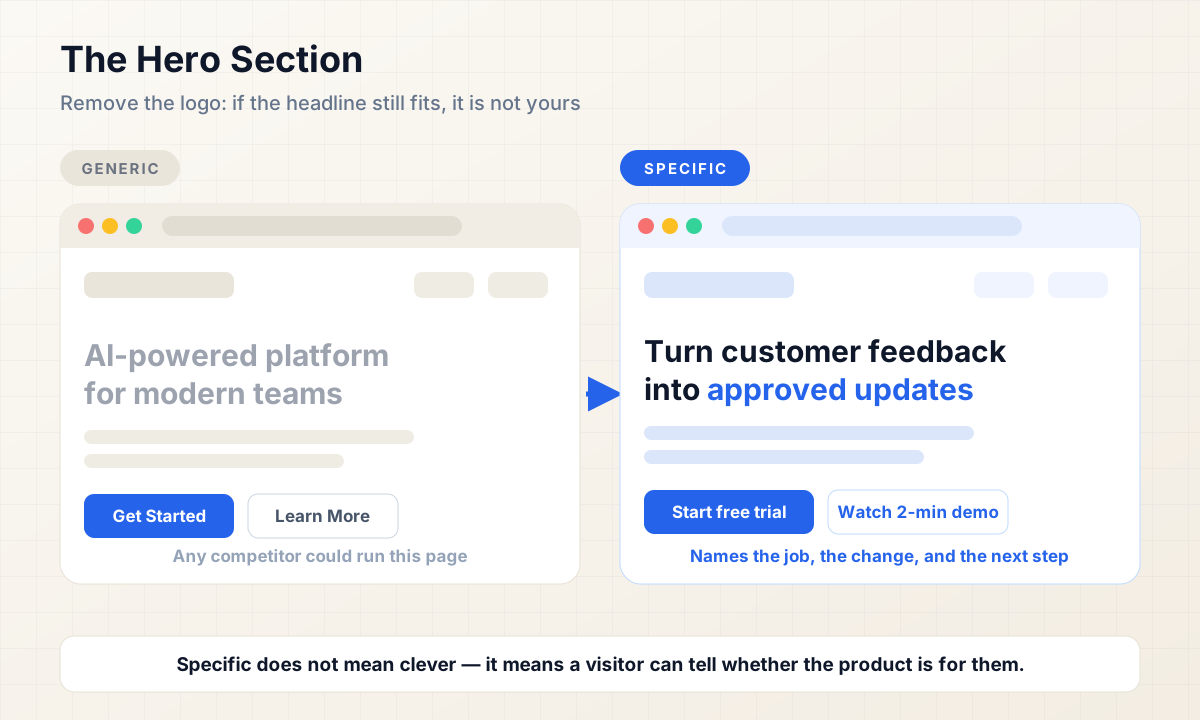
The default hero reads like: "AI-powered platform for modern teams." It is grammatically fine, visually safe, and completely unowned. Swap the logo and the headline still fits. That is the test — if the sentence works for four competitors, it does not work for you.
A more specific headline names the job, the change, or the outcome. Compare:
- Generic: "AI-powered platform for modern teams."
- Specific: "Turn customer feedback into approved product updates in one workspace."
The second version is fictional, and your real copy will differ. The point is what it commits to: it tells a reader whether the product belongs to their world within the first second. A founder scanning for homepage design inspiration often reaches for category words ("platform," "solution," "modern") because they feel safe. Safety here reads as vagueness.
Practical test: read your hero with the logo removed. If a competitor could run the same sentence unchanged, the hero is not doing its job. Not every product has a dramatic metric to claim, and inventing one is worse than saying nothing. Even without numbers, you can usually name the workflow, the object being moved, or the team doing the work.
2. The Meaningless Dashboard Screenshot
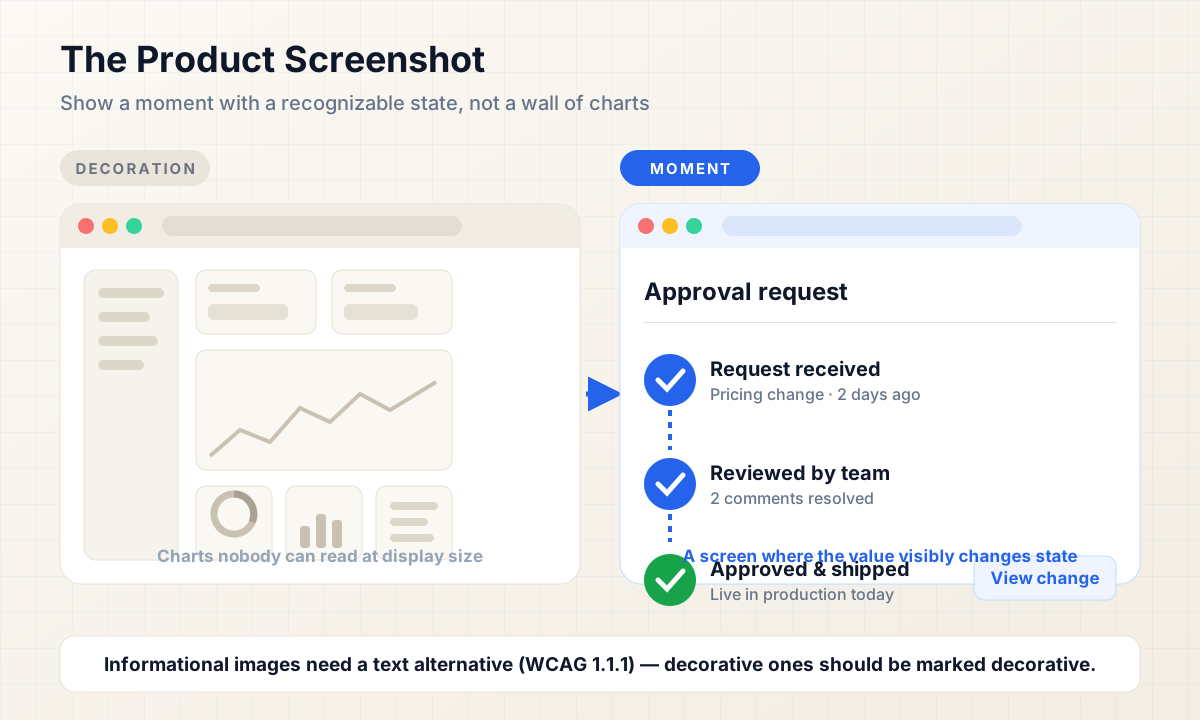
The floating dashboard image is the AI startup website cliché that spreads fastest: charts nobody can read, vanity metrics, a soft gradient behind glass. It fills space and proves nothing, because the visitor cannot tell whether the interface shows a real workflow or an invented arrangement of rectangles.
Product visuals earn their place when they show a moment: one screen where the value actually happens. An approval moving from request to review to done. A report being generated. A messy inbox becoming a short queue. The best before/after website visuals in this genre are not prettier screenshots — they are screenshots with a recognizable state in them.
Choose the screen where a user's problem visibly changes, crop to the relevant area, and keep text in the interface legible at the size it will be displayed. When you use an image to carry information, it needs a text alternative that serves the same purpose — that is a factual requirement under WCAG 2.2 Success Criterion 1.1.1 (Non-text Content), not a stylistic preference. If the visual is purely decorative, mark it accordingly rather than describing every chart.
One caution: showing real customer data requires permission and anonymization. Fictional data is acceptable when it is clearly a product illustration, but it should still look like something the product would realistically display.
3. The Generic Three-Card Feature Section
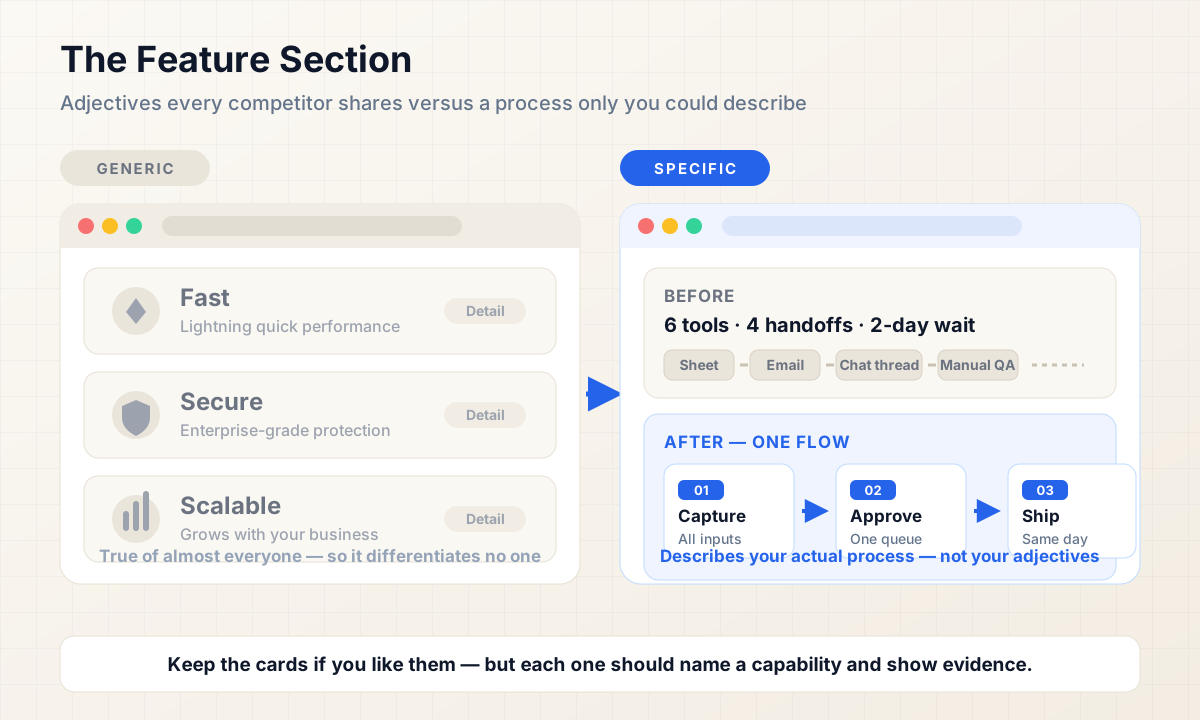
"Fast. Secure. Scalable." Three cards, three icons, no evidence. These words appear on almost every SaaS landing page, which means a visitor has learned to skip them. The claims may all be true — that is exactly the problem. True and shared is the same as unmemorable.
Two replacements work better than deleting the row:
- A real before/after workflow. One section that shows the process before your product (scattered tools, manual steps, waiting) and after (shorter, visible, automated). This is a section that only your product could write, because it describes your actual process.
- Specific capabilities with proof. If you keep three cards, each card names a concrete capability — not an adjective — and backs it with something checkable: a short example, a number with context, or a link to detail.
The distinction is evidence versus assertion. Homepage sections that assert are cheap to copy; sections that demonstrate require you to actually know how your product works, which is why they tend to survive redesigns.
4. The Random Icon Row
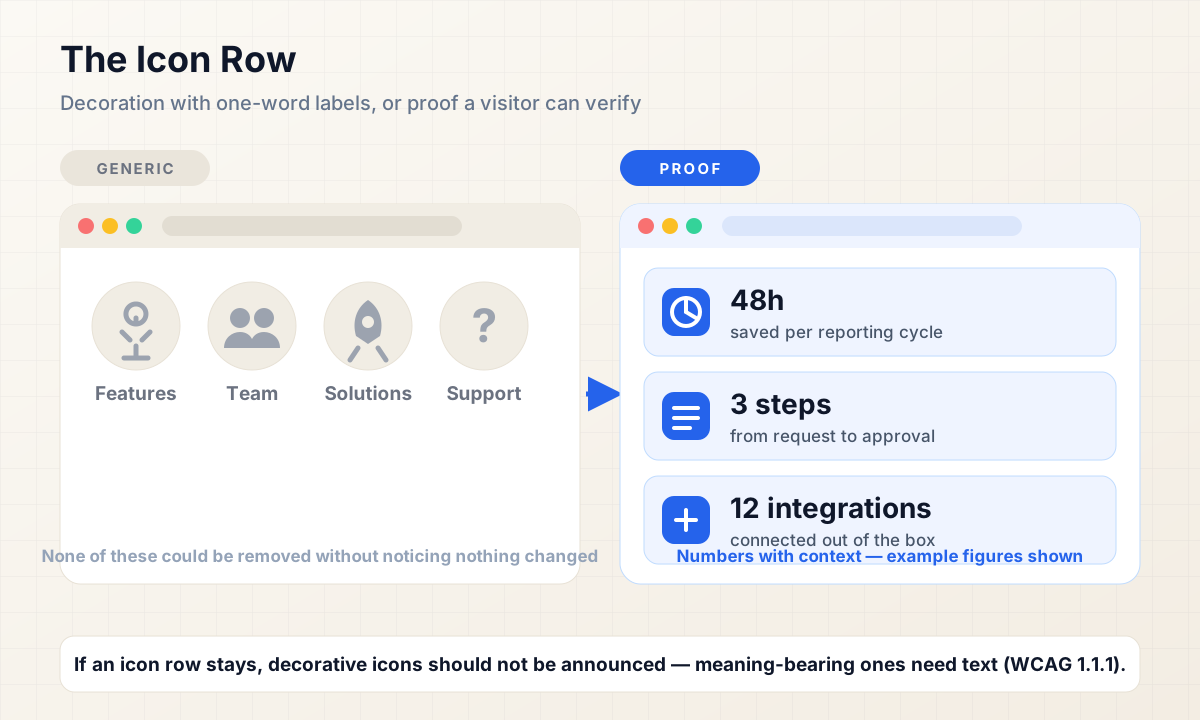
Gear, people, rocket, question mark — one-word labels underneath, no relationship to anything above or below. This row usually exists because the page needed a fourth section and icons were the fastest way to fill it.
Decorative icon rows are not inherently bad. They become a problem when the icon and the label are doing all the explaining. "Solutions," "Features," "Team," and "Support" are navigation words dressed up as benefits.
Replace the row with something a visitor can verify:
- Proof strip: numbers with context ("3,200 operations teams"), named integrations, certifications you actually hold, or customer logos you have permission to display.
- Workflow steps: what happens after sign-up, step by step, so the section explains your product instead of decorating it.
- Product evidence: a small, legible interface fragment tied to the claim beside it.
If an icon is decorative, it should not be announced to screen readers; if it carries meaning, that meaning needs a text alternative. Both behaviors trace back to WCAG 2.2 Success Criterion 1.1.1. The same principle applies in the visual layer: an icon nobody would miss should not be taking up a section of your homepage.
5. The Weak Final CTA
After a full page of explanation, many homepages end on a lone "Get Started" button — the weakest possible place for the vaguest possible ask. The final section is where hesitation concentrates: the visitor has read enough to be interested and is now looking for a reason not to act.
A calm final CTA answers three questions: what happens next, what it costs in time or commitment, and what is required to begin. "Start a free trial — no card required" is calmer than "Get Started" not because of formatting but because it removes a specific worry. "Book a 20-minute walkthrough" sets a duration a busy founder can budget.
This is not a universal rule. Products with genuinely one-step sign-up may benefit from keeping the ask minimal. The test is whether the copy describes what actually happens after the click — for your product, in your context — rather than defaulting to the phrase every landing page template ships with.
The Anti-Generic Checklist
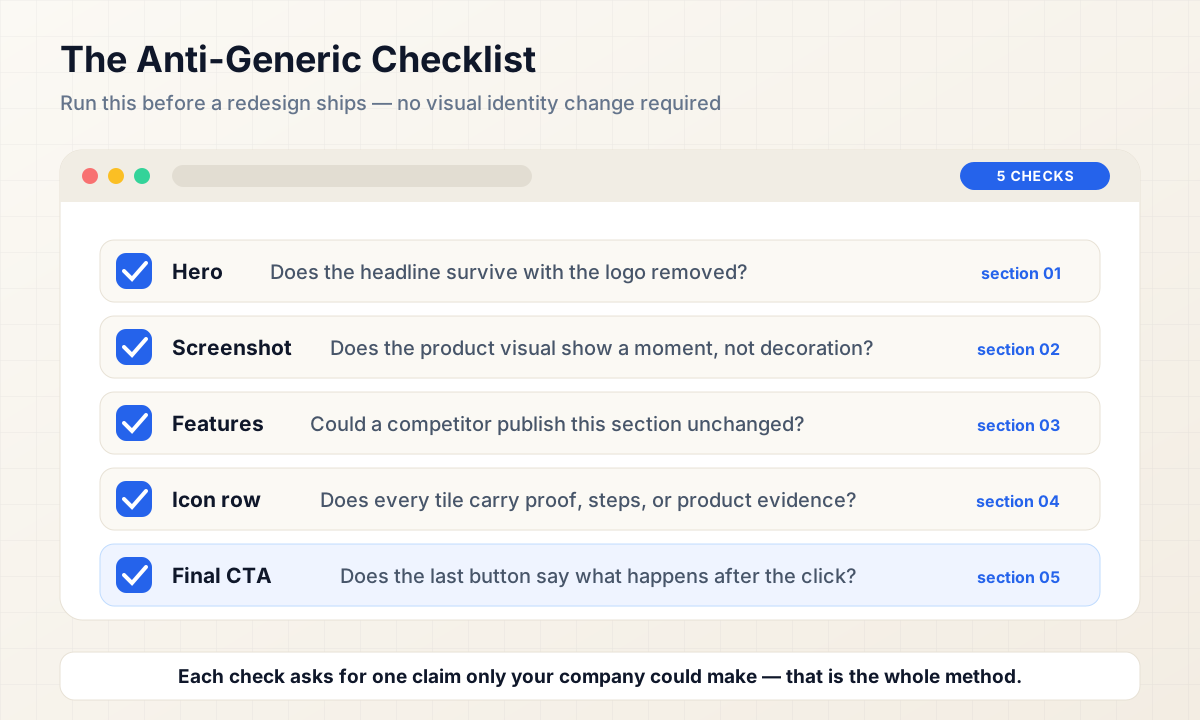
Use this before a redesign ships or during a homepage review:
- [ ] Does the hero survive with the logo removed?
- [ ] Does the product visual show a moment, not decoration?
- [ ] Could a competitor publish your feature section unchanged?
- [ ] Does each icon row earn its space with proof or steps?
- [ ] Does the final CTA say what happens after the click?
None of these require a new visual identity. They require each section to carry at least one claim only your company could make.
Final Thoughts
Generic homepages are rarely caused by bad taste. They are caused by defaulting to the patterns that are easiest to assemble: category adjectives, decorative screenshots, assertion cards, filler icons, and a template CTA. Each one is defensible alone; together they produce a site that could belong to anyone.
Fixing them is mostly editorial work. Name the job in the hero, show a real moment, demonstrate instead of assert, replace decoration with proof, and say what the last button does. For more on the interaction details that make working software feel trustworthy, read our take on the UI details that make apps feel broken. If you are planning a startup website design or a full website redesign, our software development services cover the design and build work behind these decisions, and you can contact Vast Edge Services to discuss a project. More practical notes live on the Vast Edge blog.