
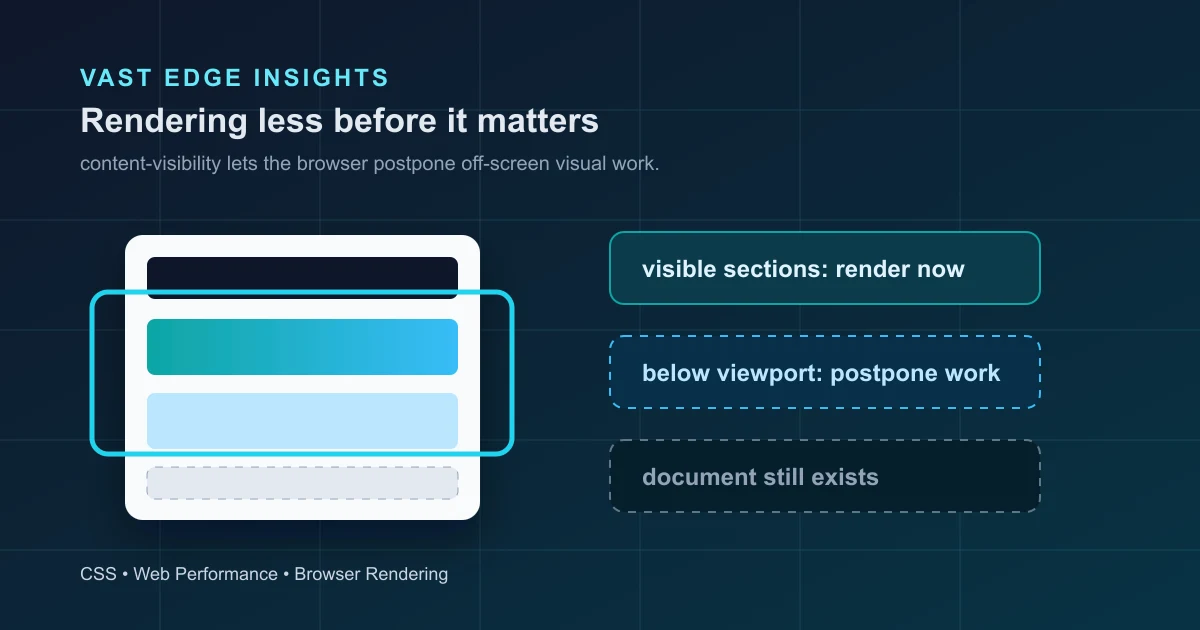
A long webpage may include navigation, a hero section, product blocks, testimonials, pricing, FAQs, related content, and a large footer. When the page first opens, the visitor only sees a small slice near the top.
That raises a useful performance question: does the browser need to do all possible rendering work for everything immediately?
Sometimes the answer is no. CSS content-visibility gives the browser a way to skip rendering work for content that is not currently relevant, then perform that work when the content becomes relevant. It is not lazy loading from the network. It does not mean images, JavaScript, or API data are automatically withheld. It is a rendering optimization, not a data-loading strategy.
MDN marks content-visibility as Baseline 2024, which means it works across current major browser versions, though older browsers may still need fallbacks. That makes it worth understanding, especially for long pages and independent content sections.
What the Browser Actually Has to Do
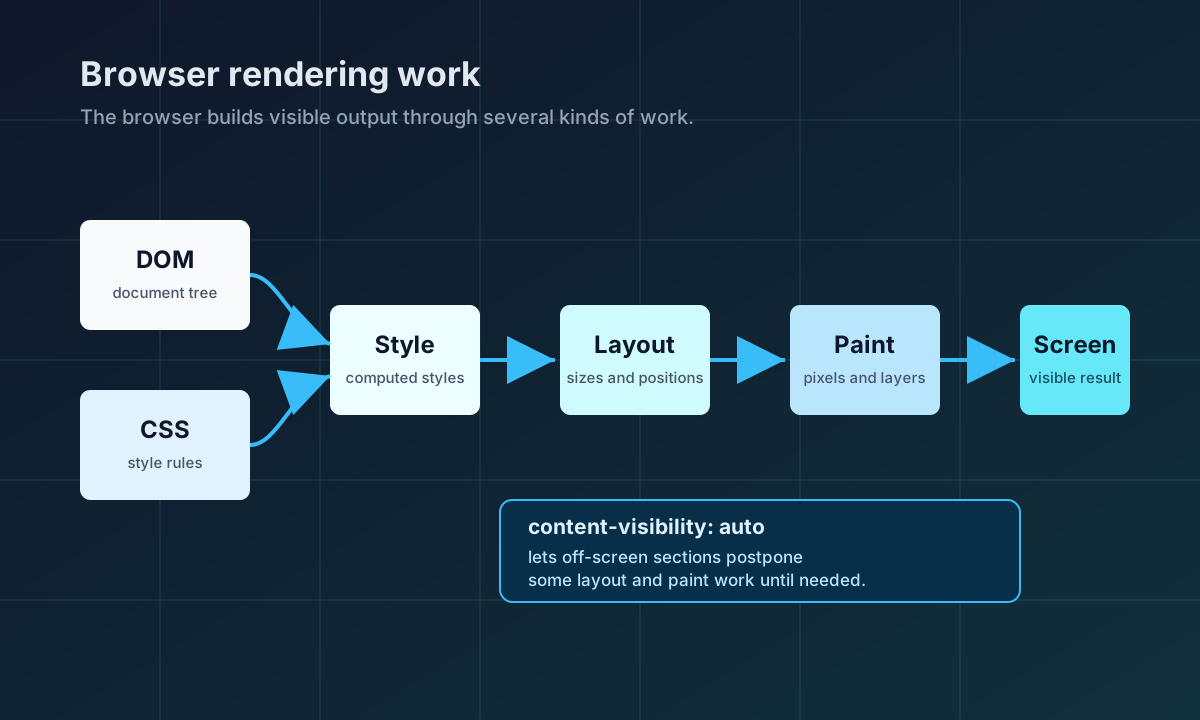
Before anything appears on screen, the browser has several jobs. It parses HTML into a document tree, applies CSS rules, calculates computed styles, works out layout boxes and positions, paints visual output, and may composite layers for the final screen.
This is a simplified version of browser rendering, but it is enough for the key idea: rendering has cost. A section far below the viewport may still require style, layout, and paint work if the browser has no reason to postpone it.
For a short page, this distinction may not matter. For a long article, documentation page, marketing page, product listing, or dashboard, the page can contain many sections that are not immediately useful to the visitor.
Enter content-visibility
The simplest useful example looks like this:
.long-section {
  content-visibility: auto;
}
According to MDN and the CSS Containment specification, content-visibility: auto turns on layout, style, and paint containment for the element. If the element is not relevant to the user, the browser may skip its contents. When it becomes relevant, the browser renders it.
In practice, “relevant” includes more than “visible right now.” Content may become relevant because it is near the viewport, focused, selected, searched for, or otherwise needed by browser/user-agent features.
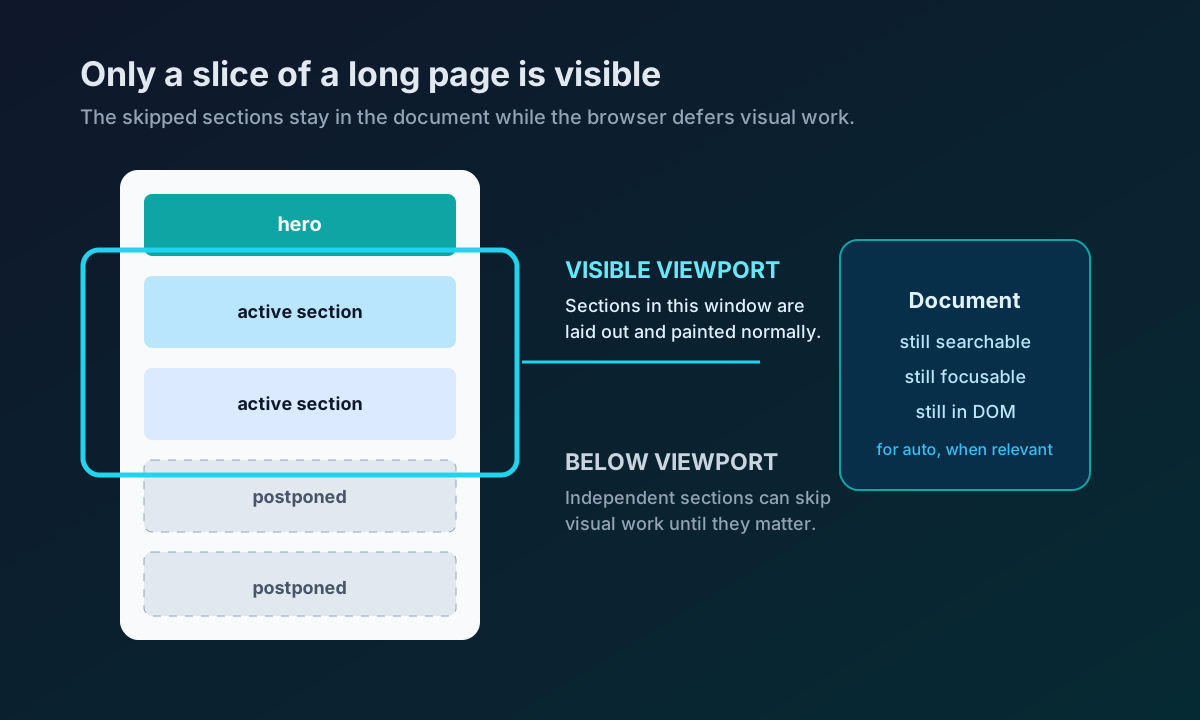
This is why content-visibility is best used on independent sections, not on an entire page wrapper. If the whole wrapper is always on screen, there is little useful work for the browser to skip. The CSS spec gives the same kind of warning: applying it to one huge timeline is less useful than applying it to the individual items that can move off-screen.
Why Skipping Off-Screen Rendering Can Help
Long pages often ask the browser to prepare content before the visitor needs it. If lower sections are independent, the browser can delay some work and spend more time on what the user can actually see and interact with.
That can help with initial rendering and with interactions on pages that contain many complex sections. The word “can” matters. content-visibility does not guarantee a faster site. If the page is slow because of large images, blocking JavaScript, slow APIs, or excessive client-side hydration, this CSS property will not magically solve the root cause.
It is useful when the bottleneck includes rendering work for off-screen content. The only honest way to know is to measure.
content-visibility Is Not display: none
This is the mistake to avoid.
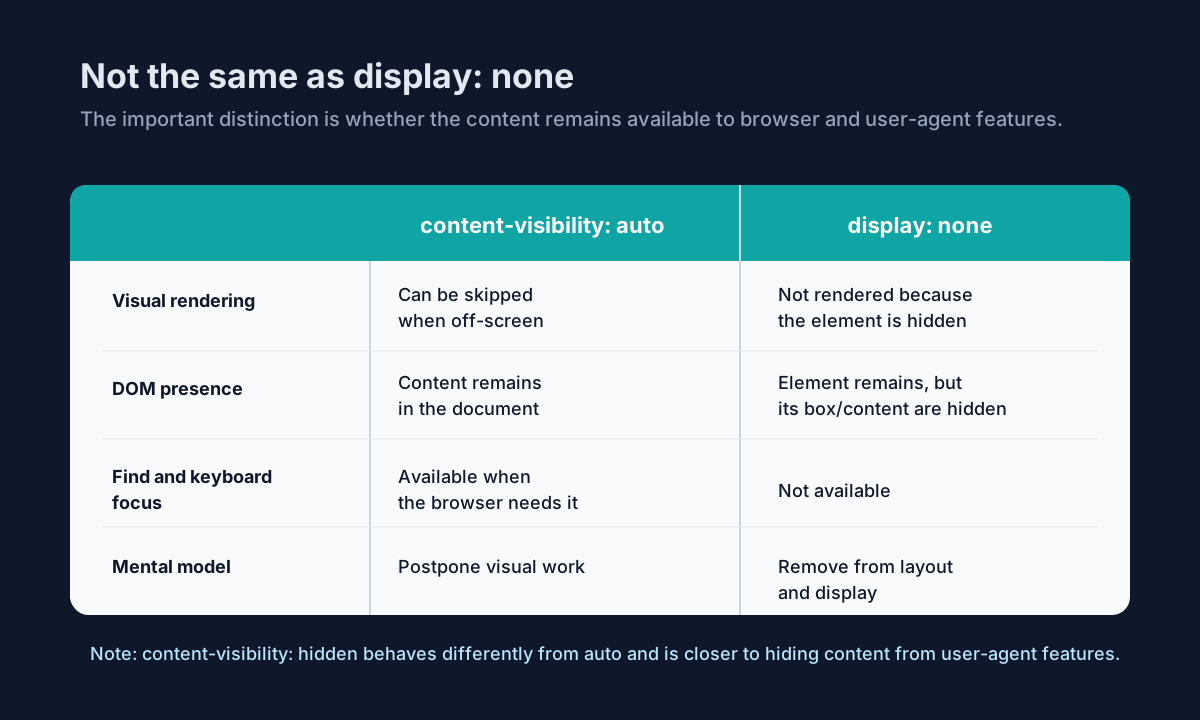
display: none removes content from layout and makes it unavailable to normal find-in-page and keyboard navigation behavior. content-visibility: auto is different. MDN says off-screen content under content-visibility: auto remains in the DOM and accessibility tree. The spec also says skipped contents for auto remain available to screen readers, find-in-page, and other tools.
The hidden value is different again. MDN says content-visibility: hidden skips contents and those skipped contents must not be available to user-agent features such as find-in-page, tab-order navigation, selection, or focus. That makes hidden closer to a deliberate hiding mechanism, while auto is an adaptive rendering optimization.
One subtle accessibility note from MDN is worth calling out: because styles for off-screen content are not rendered while skipped, content intentionally hidden with display: none or visibility: hidden inside an auto-skipped subtree can still appear in the accessibility tree. If the intent is to hide something from assistive technology, use the appropriate semantic approach, such as aria-hidden="true" when suitable.
The Layout Shift Problem
Skipped content still has to participate in page geometry. If the browser treats skipped content as having no content-based size, scroll position and layout can jump when the section is finally rendered.
That is where contain-intrinsic-size matters:
.long-section {
  content-visibility: auto;
  contain-intrinsic-size: auto 600px;
}
MDN describes contain-intrinsic-size as the size the browser can use for layout when the element is subject to size containment. The auto <length> pattern gives the browser a fallback size and lets it remember the last rendered size when available.
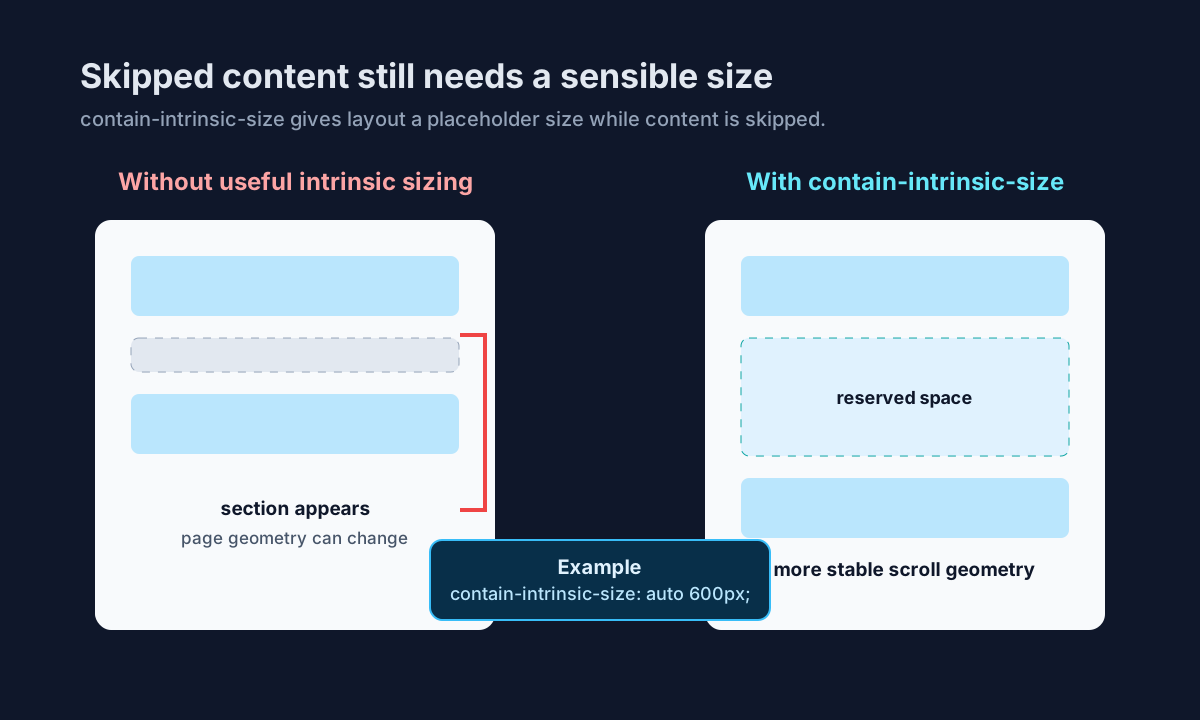
The value should be realistic. A 600px estimate for a medium article section may be reasonable. A wildly inaccurate estimate can still create layout movement. The point is not to guess perfectly; it is to give the browser useful geometry while rendering work is skipped.
Where This Can Make Sense
content-visibility: auto is most interesting when a page has independent chunks that are often outside the viewport:
- long marketing pages with many sections
- documentation pages with deep content
- article feeds or long lists
- dashboards with lower panels that are not immediately visible
- FAQ or related-content sections below the primary content
These are cases where each section can stand on its own and does not need to affect the layout or paint of surrounding sections in complex ways.
Where It Probably Does Not Help Much
It is less useful on tiny pages, immediately visible content, or pages where rendering is not the main bottleneck. It can also complicate layouts that depend heavily on content-based sizing across section boundaries.
Avoid applying it as a reflex. If the page is already fast, the content is above the fold, or the difficult work is network loading, data fetching, or JavaScript execution, start there instead.
Measure, Do Not Guess
Performance work should be measured. Browser developer tools can show rendering, painting, scripting, layout shifts, and main-thread activity. The Chrome DevTools Performance panel is one practical place to inspect what happens during load and scroll. The web platform also provides Performance APIs for collecting timing information when you need deeper measurement.
Measure before and after. Check initial rendering, scroll behavior, layout stability, and interaction responsiveness. Also test keyboard navigation and find-in-page behavior, especially when applying the property to interactive or content-heavy sections.
Final Thoughts
content-visibility is interesting because it gives the browser more freedom. Instead of preparing every off-screen section as if the visitor needs it immediately, the browser can postpone rendering work until that work becomes useful.
That is a powerful idea, but not a magical CSS speed trick. It works best when paired with sensible layout estimates, independent sections, and actual measurement.
For more web performance and frontend architecture articles, visit the Vast Edge blog. If you are planning a website or web app and want practical performance decisions built into the architecture, explore our software development services or contact Vast Edge Services.