
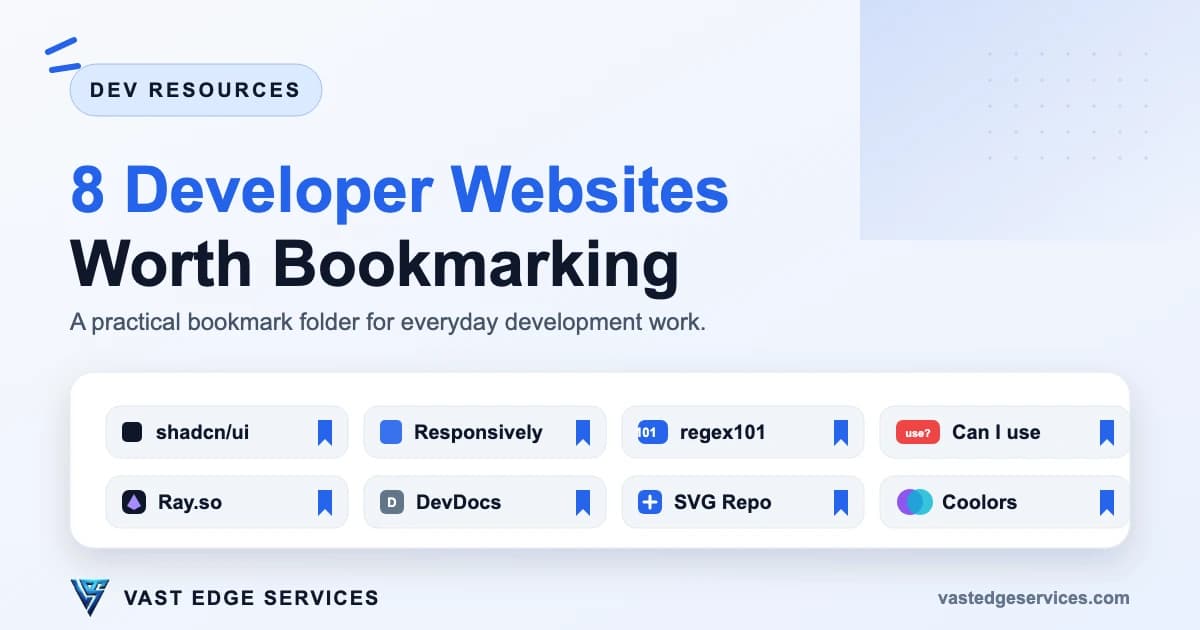
Most developers accumulate bookmarks faster than they use them. The useful folder is smaller: a handful of sites you open several times a week, for the same kinds of problems, without searching for them again.
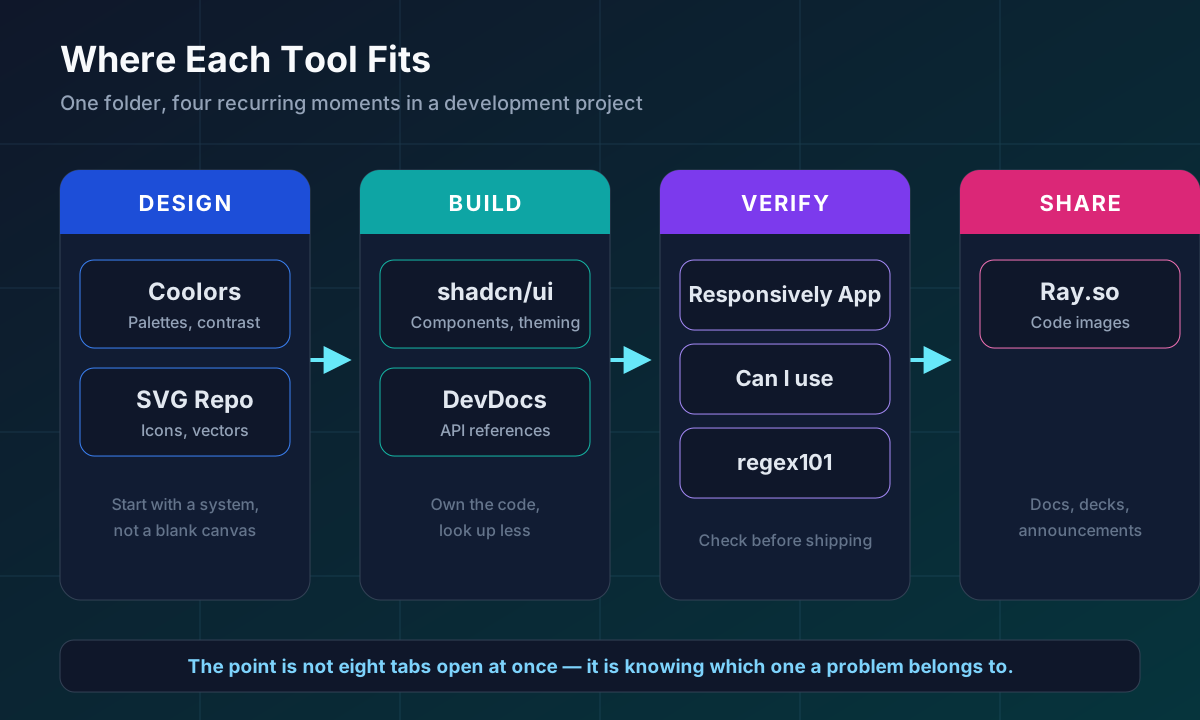
This list covers eight of those sites. Each one solves a recurring task in development work: building UI, checking responsive layouts, reading or writing regular expressions, verifying browser support, presenting code, looking up documentation, finding vector assets, and picking colors. Every entry was checked against its official website before writing.
1. shadcn/ui
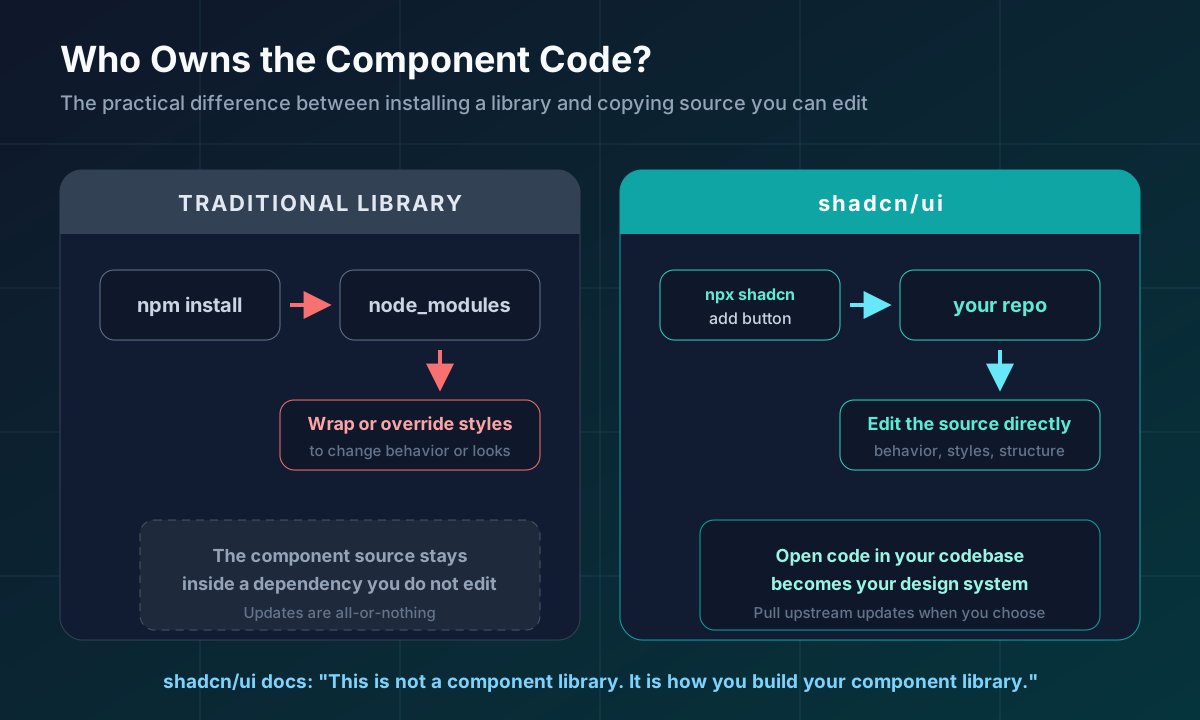
shadcn/ui is a set of accessible, composable components distributed as source code you copy into your own project. Its documentation is explicit about the model: this is not a component library you install from npm and import. It is a way to build your own component library. A command-line tool adds components to your codebase, and the code stays yours to edit.
Reach for it when you are building a React or Next.js interface and need consistent buttons, dialogs, forms, tables, or navigation without starting from zero — and without being stuck with someone else's styling decisions later.
It earns a bookmark because the component list, theming docs, and blocks are things you will check repeatedly during UI work, not once at project start.
Official site: ui.shadcn.com
2. Responsively App
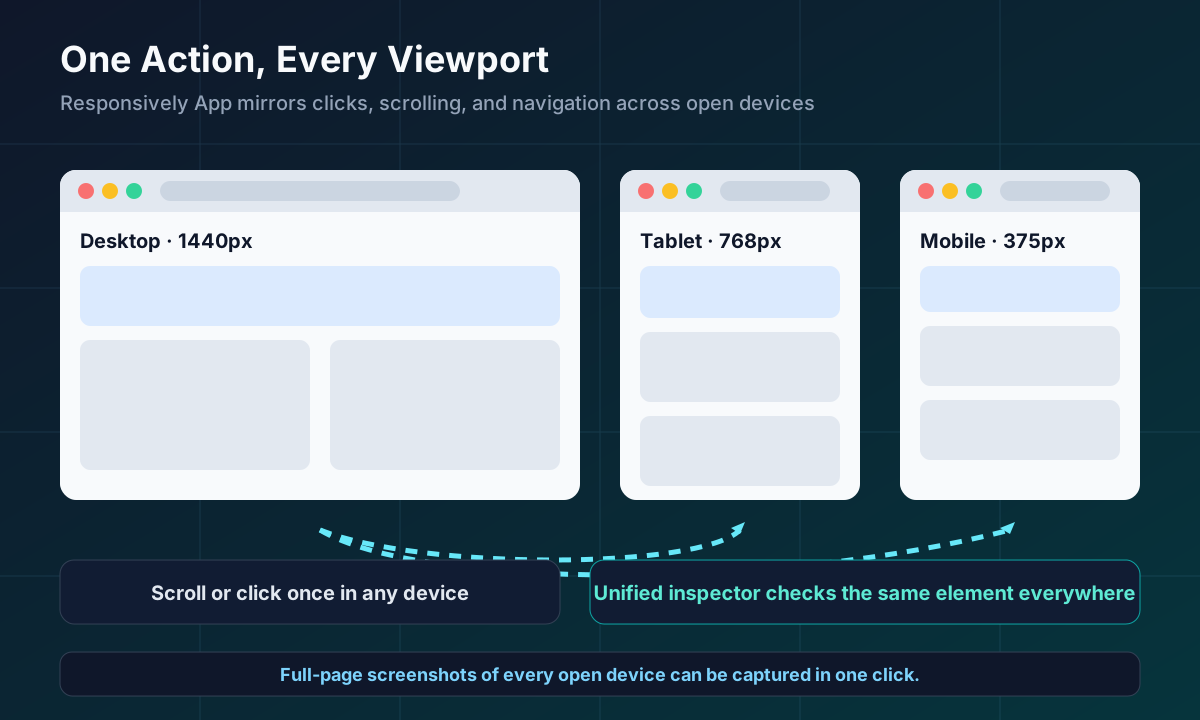
Responsively App is a free, open-source browser built for checking responsive layouts. It opens your page across multiple device viewports side by side, and mirrors interactions — clicks, scrolling, and navigation — across all of them at once. It also provides a unified inspector that works across the open devices, one-click screenshots of every device, saved device sets, and a large collection of device profiles you can extend.
Use it during frontend QA, when resizing the devtools panel one breakpoint at a time has become the slowest part of your review.
It deserves a bookmark because responsive testing is continuous work. Having every target width visible together, with synchronized scrolling, catches layout problems that single-viewport testing tends to miss.
Official site: responsively.app
3. regex101
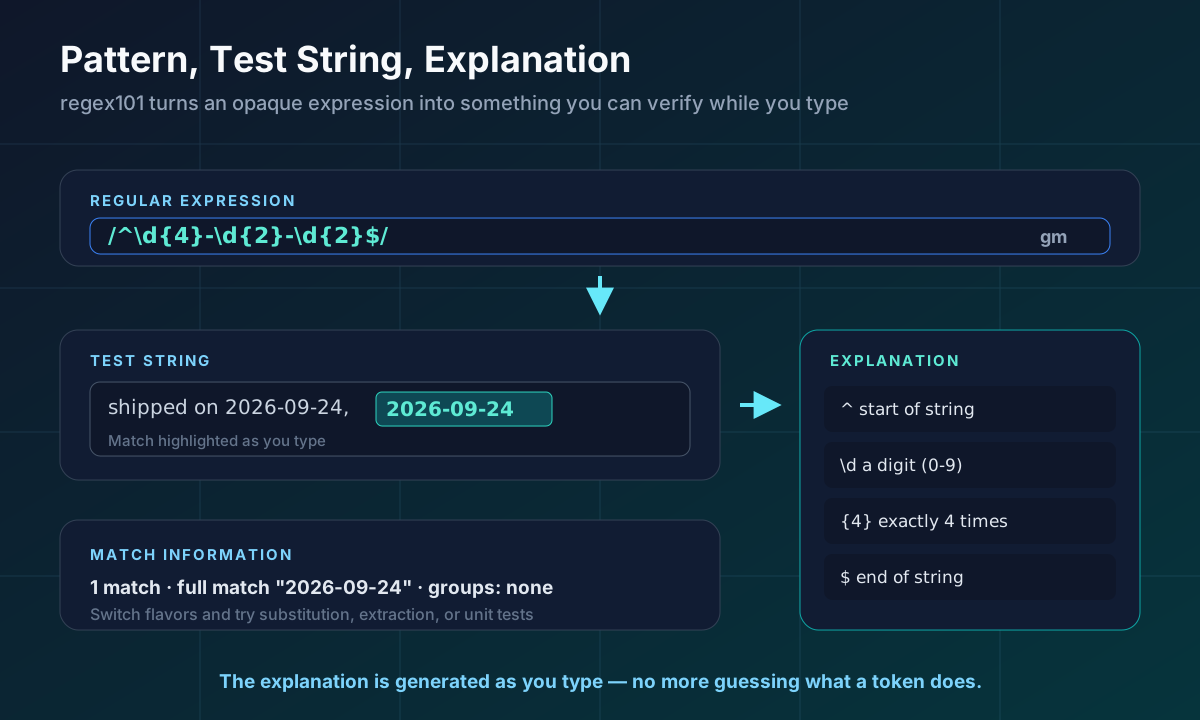
regex101 is an online regular expression tester and debugger. You enter a pattern, add a test string, and get a generated explanation of the expression as you type, along with detailed match information. You can switch between regex flavors, and the site also offers substitution, extraction, and unit test modes.
Open it whenever you are writing a validation pattern, debugging someone else's regular expression, or trying to understand a dense matcher buried in application code.
It earns a bookmark because regex is exactly the kind of thing nobody holds in working memory. The explanation panel turns a opaque pattern into something you can verify in seconds instead of guessing.
Official site: regex101.com
4. Can I use
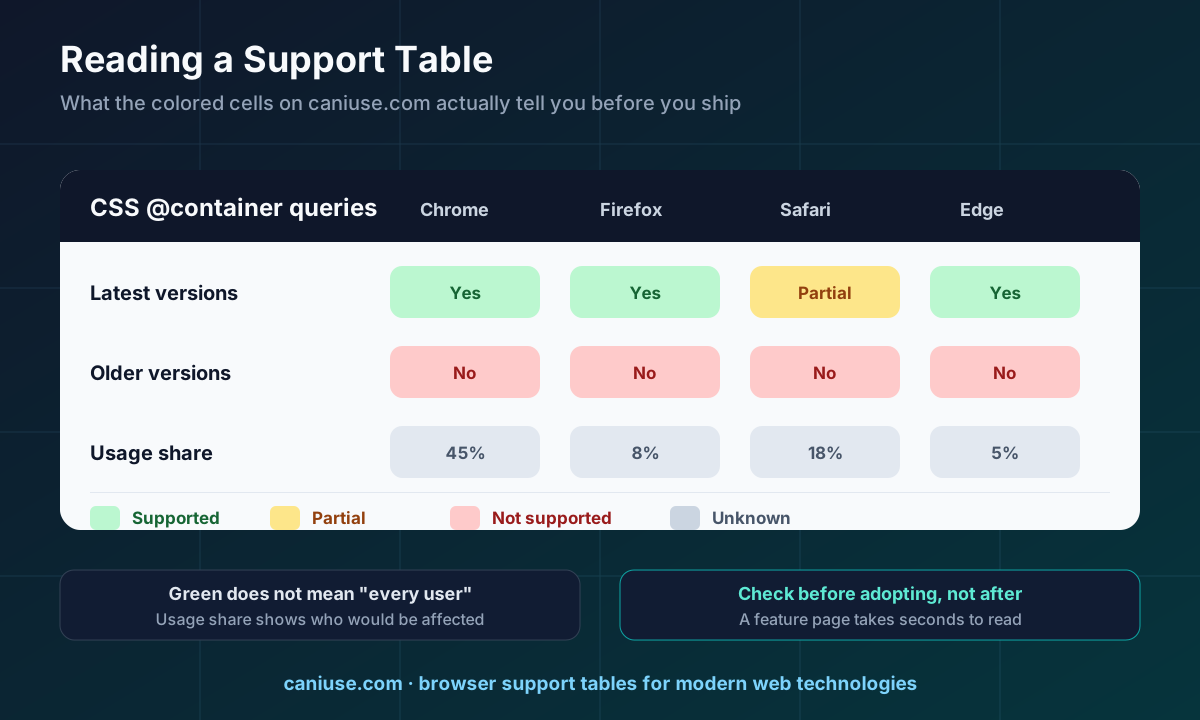
Can I use publishes browser support tables for modern web technologies — HTML, CSS, JavaScript, and related APIs. Each feature page shows which browser versions support it, with partial and unknown support marked separately, and usage-share data that helps you judge how much of an audience a missing feature would affect.
Check it before shipping a CSS feature, JavaScript API, media attribute, or markup element that you have not used in a project before.
It deserves a bookmark because "this looks supported" and "this is supported in the browsers my users run" are different claims. The support table settles that argument in seconds.
Official site: caniuse.com
5. Ray.so
Ray.so, made by Raycast, creates polished images of code. You paste a snippet, adjust the appearance, and export an image suitable for documentation, slide decks, README files, or social posts.
Use it when code needs to appear somewhere that cannot run code — a design review deck, a changelog announcement, a support reply, or a marketing page example.
It earns a bookmark because the alternative is a screenshot of your editor with personal themes, sidebars, and unrelated tabs in the frame. Ray.so produces a clean, presentable result without that cleanup step.
Official site: ray.so
6. DevDocs
DevDocs is a documentation browser that aggregates API references for many languages, frameworks, and tools into one searchable interface. It requires JavaScript, and it offers preferences for organizing the docs you use plus an offline data option so references stay available without a connection.
Reach for it when you are switching between several documentation sites during a task — language reference, framework API, and a library changelog — and want one search box instead of ten tabs.
It deserves a bookmark because documentation lookups happen constantly, and a single fast, offline-capable index removes friction from all of them.
Official site: devdocs.io
7. SVG Repo
SVG Repo is a large catalogue of open-licensed SVG vectors and icons. Its own site describes 500,000+ assets that you can search, explore, edit, and download, organized into collections by style — monochrome, multicolor, outlined, filled, and others. Individual assets show their license, and downloads are available as optimized SVG along with PNG sizes.
Use it when an interface needs an icon set, an empty-state illustration, or a quick vector graphic, and you need to know the licensing terms before shipping.
It earns a bookmark because the recurring problem is not finding icons — it is finding icons you are allowed to use. License information sitting next to the asset is the part that saves real time.
Official site: svgrepo.com
8. Coolors
Coolors is a fast color palette generator. The core workflow is simple: generate a palette, lock the colors you want to keep, and generate again until the combination works. It also offers an image picker for extracting palettes from photos, a contrast checker for accessibility, a palette visualizer for previewing colors on real layouts, and a browsable collection of existing palettes.
Turn to it when a project needs a starting palette, a brand exploration needs options quickly, or a text-and-background pair needs a contrast check before it reaches production.
It deserves a bookmark because color decisions recur across landing pages, dashboards, charts, and status states. Having one tool that generates, tests, and previews palettes covers all of those moments.
Official site: coolors.co
The Folder at a Glance
| Tool | Use it for | Official URL |
|---|---|---|
| shadcn/ui | Editable UI components for React projects | https://ui.shadcn.com |
| Responsively App | Side-by-side responsive layout testing | https://responsively.app |
| regex101 | Writing, debugging, and understanding regex | https://regex101.com |
| Can I use | Browser support before shipping a feature | https://caniuse.com |
| Ray.so | Clean images of code for docs and decks | https://ray.so |
| DevDocs | One searchable index for API documentation | https://devdocs.io |
| SVG Repo | Open-licensed icons and vectors | https://www.svgrepo.com |
| Coolors | Palette generation and contrast checking | https://coolors.co |
Final Thoughts
A bookmark folder is useful only if every entry earns its place. These eight do because they attach to repeated decisions: what the interface is built from, how it holds up across screens, what an expression means, whether a feature is supported, how code is presented, where documentation lives, which assets are licensed, and which colors pass.
None of them replace engineering judgment. They remove the small lookups that interrupt it.
If you are applying these tools to a real product, our software development services cover the web and application work around them. For more practical frontend and engineering notes, browse the Vast Edge blog — including why modern websites do not load everything at once and the UI details that make apps feel broken. To discuss a project, contact Vast Edge Services.